9 · The live terminal
What you'll do
Open a live console inside TofuFactory and work with an AI assistant directly — typing back and forth, watching it respond in real time. It's the hands-on alternative to handing off a job and walking away.
When you'd use this
Two different ways to work with the AIs:
| You want to… | Use |
|---|---|
| Hand over a job and let it run, checked and merged for you | The Work screen (page 4) |
| Sit with the AI and go back and forth yourself | The Terminal (this page) |
The terminal is for exploring, quick questions, or driving the AI by hand — no queue, no waiting.
Start a session
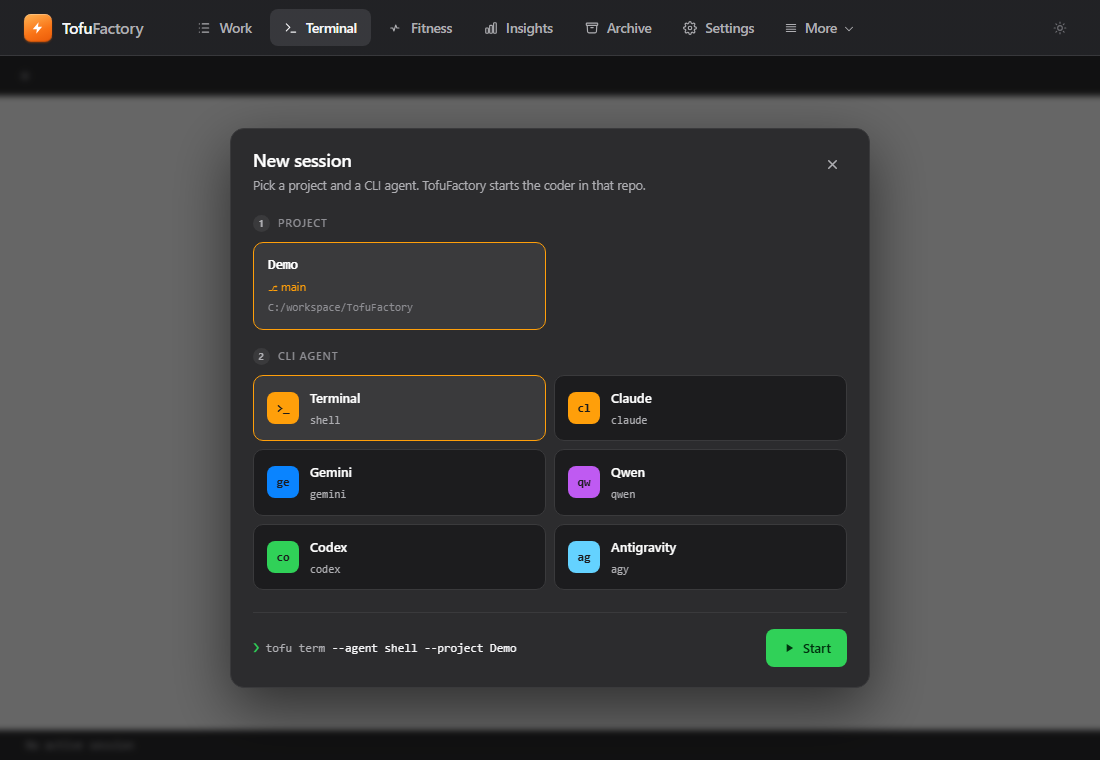
Go to the Terminal screen and start a session. It asks for three things:
- Project — which folder to work in.
- Assistant — which AI to talk to.
- Model — which engine it should use.
Pick them and start.
Work in it
You now have a live console running the AI. Type, read its replies, type back — it streams as it goes, just like a real terminal on your own computer. Resize the window and it adjusts.
A live terminal session needs a real PTY (macOS or Linux, or Windows with pywinpty installed); start one on your machine to watch the agent stream.
It keeps running
Your session lives on the app's side, not in the browser tab. If you switch to another screen or reload, the session keeps going — you reconnect to it, you don't lose it. Sessions you leave idle for a long time are eventually cleaned up on their own.
You should now see
- A live AI assistant replying to you in the console.
- A session that survives switching screens or reloading.
If something's not right
| Problem | What to do |
|---|---|
| The terminal won't open on Windows | The live terminal needs an extra piece installed for Windows. If your build doesn't have it, this screen won't work — the rest of the app still does. |
| An assistant isn't in the list | It's not set up yet — add it from Settings (page 2). |
| The text looks scrambled | Resize the window once to refresh it. |
| My session disappeared | If it was idle a long time it may have been cleaned up — start a new one. |
Next
→ 10 · Control from Discord — drive the factory from your phone, without opening the app.