15 · The Kitty Pool
What you'll do
Watch — and, if you like, tune — the Kitty Pool: the set of AI helpers TofuFactory keeps warmed up and waiting, so a new job starts working straight away instead of pausing to boot one up.
Why it exists
Starting an AI from cold takes a few seconds — it has to launch, load its settings, and sign in. The Kitty Pool keeps a few helpers already started and idling, so when a job arrives:
- It grabs a warm helper that's sitting ready.
- The helper begins work immediately — no startup wait.
- When the job's done, the helper goes back to idling for the next one.
Note: only some AIs can stay warm this way (Qwen can). Others, like Claude, are started fresh for each job — that's normal, they just don't idle in the pool.
The Pool screen
Go to Pool from the navigation menu. It shows:
- How many warm helpers you have, by type.
- The standby list — each helper, marked idle (waiting), active (working), or recycling (being refreshed).
- A live log of helpers starting up, getting picked up for a job, and retiring.
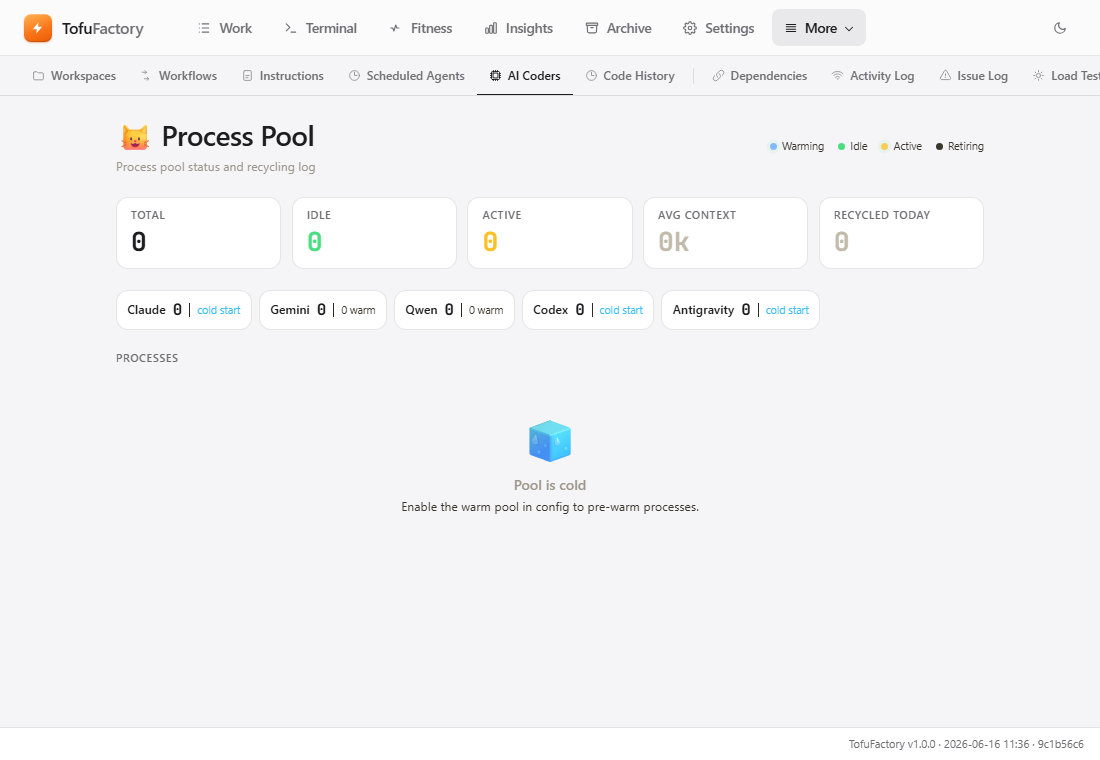
Why helpers get refreshed
A warm helper can't run forever — over time it uses more memory and its memory of past jobs piles up, which makes it slower and pricier. So TofuFactory quietly recycles them — retires the old one and starts a fresh one — on sensible rules:
| Trigger | Default | Why |
|---|---|---|
| Jobs run | 3 (Qwen) | Refresh after a helper has done a fair share of work. |
| Sitting idle | 30 minutes | Free up your computer's memory when nothing's happening. |
| Memory of past jobs too full | 60% full | Reset before a bloated context slows it down. |
| Hit an error | Always | A helper that stumbled is replaced rather than reused. |
You can also refresh by hand on the Pool screen — Recycle next to one helper, or Recycle all idle at the top — if one seems to be misbehaving or hogging memory.
Power user: the pool's size and limits are set with environment variables read when the server starts — handy if you run TofuFactory yourself and want to tune it. The main ones:
TOFU_POOL_ENABLED(true; setfalseto turn the pool off entirely),TOFU_POOL_MAX_PROCESSES(8, the ceiling on helpers at once),TOFU_POOL_MEM_THRESHOLD(85— shrink the pool when system memory passes this %), andTOFU_POOL_TARGET_QWEN(1— how many to keep warm). You never need these to use the pool; it's on and sensible by default.
You should now see
- A live list of warm helpers on the Pool screen.
- Helpers starting and recycling in the event log.
- Jobs for Qwen starting noticeably faster.
If something's not right
| Problem | What to do |
|---|---|
| The screen says "Pool disabled" | The pool was turned off (TOFU_POOL_ENABLED set to false). Whoever runs your server can turn it back on. |
| Helpers recycle constantly | Usually fine — it just means they're finishing jobs quickly. Only a concern if it's clearly thrashing. |
| My computer's memory is maxed | Lower the maximum number of helpers, or have the pool shrink sooner under memory pressure (the power-user settings above). |
| The log shows "pool exhausted" | Every warm helper was busy, so a job started one from cold instead — nothing was lost. If it happens a lot and you run many jobs at once, keep more helpers warm. |
Next
→ 16 · Settings & personalization — make the app look and read the way you want.